
KARMA Logo Icon

KARMA

The CRM for Beverage

Manage accounts, track product placement, create and complete tasks and surveys, and capture in‑trade data with the leading beverage-specific CRM.

 
KARMA Application Screenshot
Benefits

Turn Field Activity into a Single, Connected View of Your Business

Centralize account details, tasks, surveys, and in‑trade results so your teams can focus on high-quality sales execution.

Single Source of Truth

Maintain a shared view of accounts, contacts, authorizations, and commitments across sales, national accounts, and suppliers, so conversations and visits build on each other instead of starting from scratch.

Drive Consistent Execution

Use tasks and surveys to guide what reps, merchandisers, and supplier teams do in accounts. Keep and eye on everything from distribution checks and display builds to photo recaps and competitive tracking.


Make better decisions

Don’t just look at your data, make sense of it with flexible reporting and AI analysis so you can inform smarter business decisions.

Flock separator section top
ACCOUNT + CONTACT MANAGEMENT

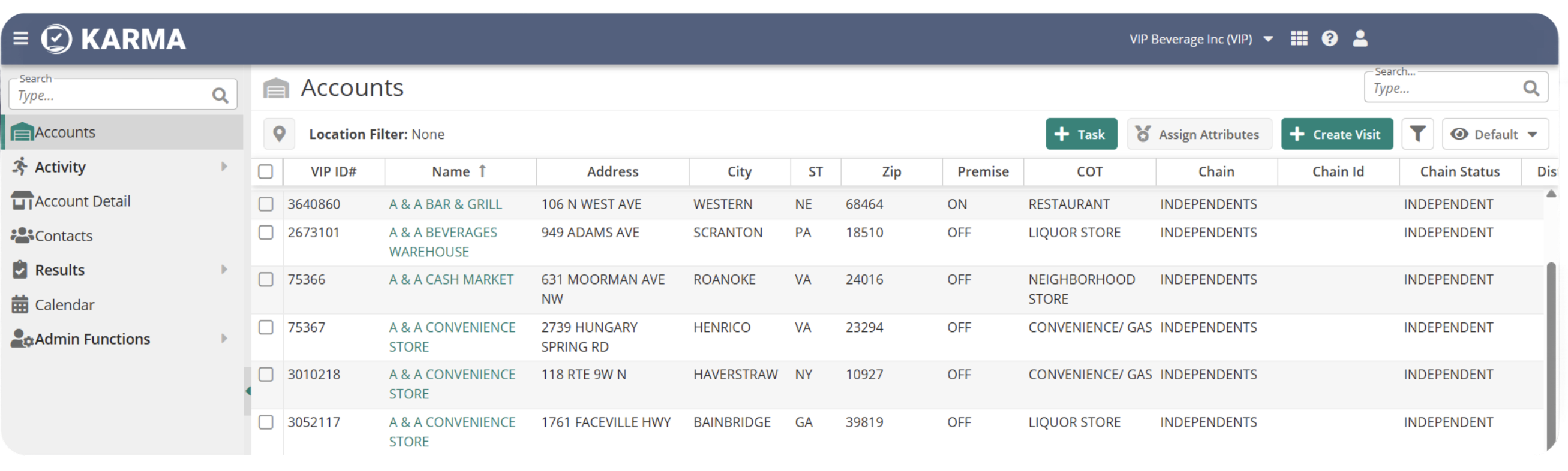
See Everything You Know About an Account in One Place

KARMA-UI-1

Centralized Data

Store key account information, contacts, and relationships so distributor and supplier teams have a single source of truth.

Documented Next Steps

Log visit notes, follow‑ups, and commitments so reps know what was promised, what’s due next, and who owns it.

Cross‑Tier Visibility

Support collaboration between distributors and suppliers by capturing the same account-level information.

TASKS + SURVEYS

Guide What Happens on Every Visit

Task Creation and Assignment

Create tasks for sales reps and other field roles (such as executing displays or checking distribution) and assign them to the right employees and accounts.

Flexible Survey and Form Design

Build surveys to collect photos, placements, pricing, competitive activity, and more, tailored to your retailer or program needs.

Mobile Execution

Complete tasks and surveys in the field using integrated mobile apps.

KARMA-UI-2
RESULTS & REPORTING

Turn Field Data into Insights

KARMA-UI-3

Structured Results Capture

Store completed tasks, survey answers, and commitments in a structured way that’s ready for reporting.

Support for Competitive and Brand Insights

Use KARMA results (including competitive tracking and brand-/item-level details) to understand where you’re winning, where you’re losing space, and how programs perform over time.

Deep Data Analysis

Combine KARMA results with sales, distribution, and inventory data in iDIG to analyze execution, program lift, and compliance.

Flock separator section bottom

Related Resources

Download the Data Sheet

Get a closer look at how KARMA centralizes account management, tasks, and in-trade data to support consistent, high-quality execution.

Pre-Recorded Webinars

See how sales and merchandising teams use KARMA to guide account visits, capture field activity, and improve execution across every location.

Blog

Explore tips for improving field execution, strengthening account relationships, and turning in-trade activity into measurable performance.

Ready to Get Started?